







The Golden Corral guide
Plan a specific Golden Corral order using named menu servings or ingredient selections. Compare the complete meal, keep estimated changes separate from sourced figures, and check local prices before ordering.
On this page
Build, review and calculate
Choose a goal and meal type, then enter a daily calorie reference. These choices set an illustrative budget for this Golden Corral order, not a personalized dietary prescription. If you used the calorie planner, enter its result yourself; the tools do not transfer it automatically.
- Check sizes before adding items
- Include sides, drinks and sauces
- Avoid counting included toppings twice
- Use Reset to start a new order
Add menu items using search and category filters. Check the serving or size in each name, then use quantity controls for additional servings. Review includes drinks, sides and extras. The build and review screens show live previews; press Calculate to open the full results. Return to review to change the order, then calculate again.
Compare like-for-like orders
The order examples and comparison tables above use the same menu entries or ingredient selections as this calculator. They are Well.now examples, not new official restaurant recipes. Load an example, check its components, then change one choice at a time so you can see what caused the difference.
Compare a main item with another main item of a similar size, rather than ranking a full meal against a sauce or a small side. A low calorie figure does not mean an item has low sodium. Read protein, carbs, fat and sodium together. Nutrition-label percentages are general references, not your personal limits.
Ingredient portions and custom builds
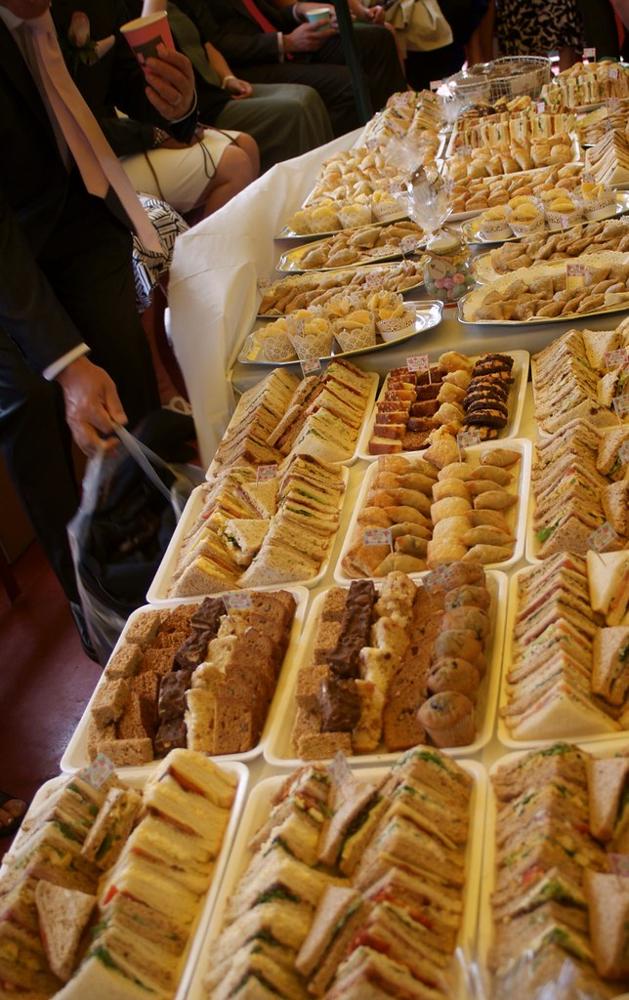
Build a buffet plate, course by course follows 8 ingredient steps: Proteins, Sides, Vegetables, Bread, Breakfast, Dessert, Toppings, Drinks. Complete required choices before adding the build. Optional steps can be skipped; multiple-choice steps allow more than one ingredient.
Regular selections add the listed standard ingredient portions. Light models half a portion and Extra models twice a portion; these are estimates, not measurements of what staff serve. Check the final ingredient list for duplicate toppings, and do not add a whole-menu item as well as its ingredient-built equivalent unless you intend to eat both.
Ingredient reference: Golden Corral official US nutrition database (published servings). A calculated combination is an arithmetic sum, not an independently tested restaurant meal. Use the chain's current ingredient and allergen information for restrictions; this tool cannot assess cross-contact.
Buffet plate estimates and admission
The eight courses let you combine proteins, sides, vegetables and salad, bread, breakfast foods, dessert and fruit, toppings and drinks. Regular uses the named published serving; Light models half and Extra twice. Self-served amounts can differ even without a multiplier, so all completed Golden Corral plate totals are estimates. A return trip needs additional servings in the order.
Food servings are not individually priced buffet purchases. Buffet admission, beverages, tax and any local offers need separate confirmation. No current named-location admission price is verified here, so the meal cost stays Varies. Do not add a buffet admission once per food or once per plate.
Use Golden Corral results with the wider tool library
After calculating your Golden Corral order, use its calories and protein in the protein-density tool or copy its sodium into the sodium Daily Value calculator. Keep the serving unchanged between screens. These tools do not import the order automatically, so enter the totals yourself and note any estimated components alongside them.
Use the receipt tools with the actual local quote to add tax, chosen gratuity or delivery charges. A nutrition comparison is possible without a known price, but a value-per-dollar calculation needs a confirmed amount. The same-order pickup and delivery comparison is more useful than comparing different bundles that happen to have similar names.
Sources, prices and limits
Menu nutrition reference: Golden Corral official US nutrition database (published servings). The menu dataset was last checked on November 15, 2026. The source link above opens the underlying reference. This date does not establish a current verification date for estimated extras or custom adjustments.
No location-specific price is confirmed here. Varies means the cost is unavailable, not zero. Check your selected US Golden Corral restaurant's official ordering menu before paying.
Rounding and restaurant portion differences limit precision. For a medically prescribed diet or food allergy, use current chain information and qualified guidance. Report an outdated entry to be@well.now with the item name, serving size and source link so it can be reviewed.
Frequently asked questions
Are results official restaurant measurements?
No. Totals add published menu values or listed ingredient portions. Estimated extras and nonstandard portions introduce assumptions. Preparation and rounding can change the meal you receive.
Can I keep an order when switching restaurants?
Each calculator is separate. Note the first result before opening another restaurant; its order does not transfer. Reloading clears the current order.
Does an unavailable price affect nutrition?
No. Nutrition can still be calculated, but Varies means the whole meal cost is not confirmed. Do not treat an unknown price as a free item.
The takeaway
Match the actual serving, count each component once, compare the whole order and check estimates and source dates before relying on a result.