
The QDOBA guide
QDOBA's US menu is built around ingredient choices. A bowl, burrito, taco or salad can contain different rice, beans, proteins, salsas and toppings, so there is no single nutrition total for every order with the same format. Our QDOBA nutrition calculator follows those decisions in separate steps, with a compact live summary that updates as you choose. You can also add source-listed signature recipes, sides, fixed-size drinks and desserts to an order before calculating the final meal.
The nutrition figures here were checked against QDOBA's official Nutrition Brochure published February 26, 2026, on November 8, 2026. We use US entries, excluding entries explicitly labeled Canada. The brochure is a source for standard portions, not a live list of what every restaurant has in stock. Prices remain Varies because we have not confirmed an official price for a named QDOBA location. Our site is independent of QDOBA.
How the QDOBA nutrition calculator works
The QDOBA calculator runs in four steps. First you choose a goal, such as maintaining weight, eating lighter, gaining or prioritizing protein, and the meal type you are planning. The tool turns that choice into a meal budget so the totals you see at the end are compared with a number that actually means something for your day. Second, you build the order by picking menu items or by using the step-by-step build a qdoba bowl, burrito or tacos builder. Third, you review every line, change quantities and remove anything you do not want. Fourth, you press Calculate to see calories, protein, carbs, fat and sodium for the whole meal.
Results only appear after you press Calculate. That is deliberate: totals that jump around while you are still choosing make it harder to think about the order, and a single result screen is easier to compare with your budget. If you change anything after calculating, press Calculate again to refresh the totals.
Everything happens in your browser. The calculator does not ask for an account, does not save your order to our servers and does not need your weight or age unless you choose to use the separate calorie planner to set a daily target.
Lowest-calorie, highest-protein and lowest-sodium QDOBA picks
These lists are calculated directly from the calculator data, so they update when the menu data updates. They are a starting point for comparison, not a recommendation that any single item suits your diet.
Lowest calories: Chopped Cilantro (.12 oz ) (0 calories), Romaine Lettuce (0.25 oz.) (0 calories), Diet Coke (20 fl. oz.) (0 calories), Pico de Gallo (1 oz.) (5 calories), Roasted Tomato Salsa (1 oz.) (5 calories). Low-calorie items are often drinks, sides or smaller portions, so check that the pick actually works as the meal you want.
Most protein: Double Protein Bowl - Chicken (51 g), Chicken Queso Burrito (569 g) (51 g), Quesabirria Burrito (46 g), Chicken Queso Bowl (468 g) (43 g), Keto Bowl - Chicken (33 g). The items with the most protein are often the larger items too, so compare them with the protein per calorie list below.
Most protein per 100 calories: Pork Carnitas (3.5 oz.) (12.7 g per 100 calories), Brisket Birria (3.5 oz) (10.7 g per 100 calories), Grilled Adobo Chicken (3.5 oz.) (10.0 g per 100 calories), Ground Beef (3.5 oz.) (8.9 g per 100 calories), Cholula® Hot & Sweet Chicken (3.5oz) (8.4 g per 100 calories).
Lowest sodium: Chopped Cilantro (.12 oz ) (0 mg), Crispy Taco Shell** (0 mg), Romaine Lettuce (0.25 oz.) (0 mg), Romaine Lettuce for Salad (3.5 oz) (10 mg), Sour Cream, (1 oz.) (10 mg). Sodium adds up fast at restaurants, and the general daily value used on US nutrition labels is 2,300 mg.
Building a custom QDOBA QDOBA meal step by step
The build a qdoba bowl, burrito or tacos flow follows the order you would use at the counter. It has 7 steps: Choose your format (required), Choose rice, Choose beans, Choose your protein, Vegetables and crunch, Salsas and dressings, Queso, guac and cheese. Steps that allow several choices let you stack options, and steps with portions let you choose light, regular or extra.
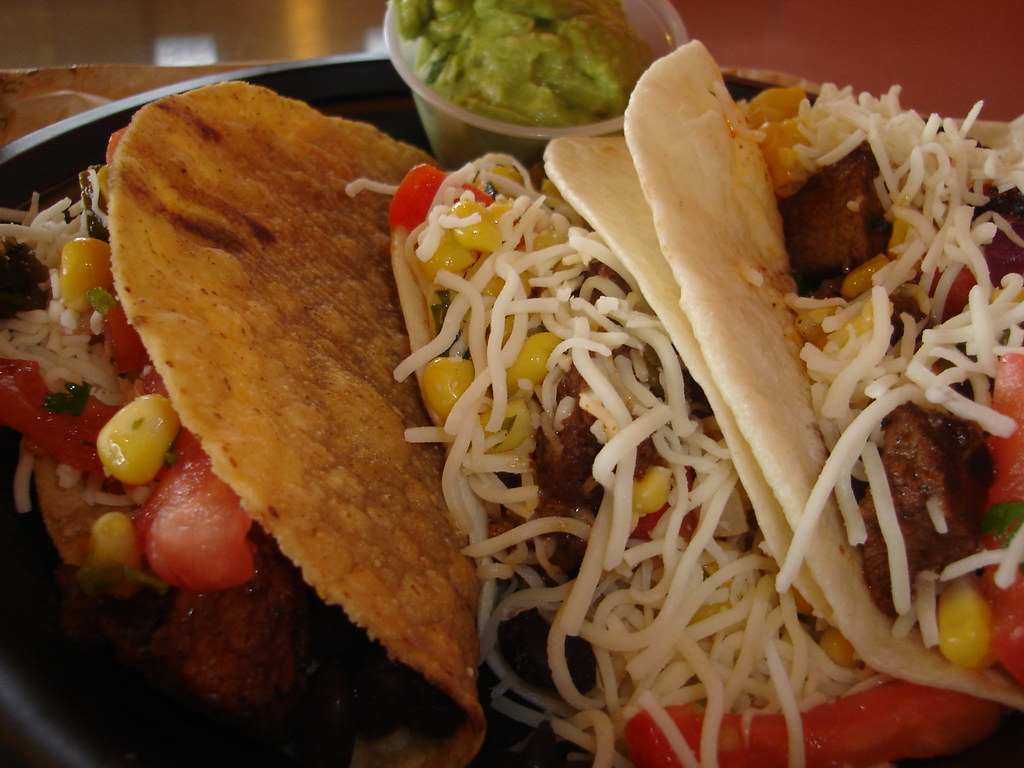
Choose your format: Bowl (no tortilla) 0 calories, Burrito tortilla (12.5 inch) 300 calories, Salad romaine (3.5 oz) 15 calories, One crispy taco shell 60 calories, One soft taco tortilla (5.5 inch) 70 calories, Crunchy salad shell 390 calories.
Choose rice: Cilantro Lime Rice (4 oz.) 190 calories, Seasoned Brown Rice (4 oz.) 170 calories.
Choose beans: Black Beans (4 oz.) 140 calories, Pinto Beans (4 oz.) 130 calories.
Choose your protein: Grilled Adobo Chicken (3.5 oz.) 190 calories, Grilled Steak (3.5 oz.) 360 calories, Cholula® Hot & Sweet Chicken (3.5oz) 190 calories, Pork Carnitas (3.5 oz.) 110 calories, Brisket Birria (3.5 oz) 140 calories, Ground Beef (3.5 oz.) 180 calories, Plant-Based Impossible™ (3.1 oz.) *select locations only* 170 calories.
Vegetables and crunch: Fajita Veggies (2 oz.) 40 calories, Romaine Lettuce (0.25 oz.) 0 calories, Pickled Jalapenos (1 oz.) 15 calories, Pickled Red Onion (0.8 oz) 10 calories, Chopped Cilantro (.12 oz ) 0 calories, Tortilla Strips (0.5 oz.) 70 calories.
Salsas and dressings: Pico de Gallo (1 oz.) 5 calories, Chile Corn Salsa (1 oz.) 25 calories, Habanero Salsa (1 oz.) 10 calories, Roasted Tomato Salsa (1 oz.) 5 calories, Salsa Roja (1 oz.) 5 calories, Salsa Verde (1 oz.) 10 calories, Citrus Vinaigrette (1.5 oz.) (US) 100 calories, Picante Ranch Dressing (1.5 oz.) 80 calories, plus 1 more options in the tool.
Queso, guac and cheese: Hand Crafted Guacamole (2 oz.) 80 calories, Hand Crafted Guacamole (4 oz.) 170 calories, Queso Diablo (2 oz.) 90 calories, Three Cheese Queso (2 oz.) 80 calories, Three Cheese Queso (4 oz.) 170 calories, Shredded Cheese (1.0 oz.) 110 calories, Sour Cream, (1 oz.) 50 calories, Cotija Cheese (.25 oz.) 25 calories.
Regular portions use the QDOBA US Nutrition Brochure, February 26, 2026 figures. Light and extra portions are scaled estimates, because restaurants do not publish separate nutrition for them, and the calculator labels any build that uses them as an Estimate.
Where the QDOBA numbers come from
Nutrition figures in this calculator come from QDOBA US Nutrition Brochure, February 26, 2026, published by the chain. They were last checked on November 8, 2026. The source link is shown above the calculator so you can compare any number yourself.
Menu prices vary by location, so the calculator shows Varies wherever we could not confirm a price for a specific restaurant. Check your local QDOBA ordering page for the current price.
If you see a number that no longer matches QDOBA's current information, email be@well.now with the item and a link to the source. Our editorial policy explains how corrections are reviewed and dated.
Tips for using the QDOBA calculator well
A few habits make the totals more useful and closer to what you actually eat.
- Set your goal first so the result compares with a real budget
- Add drinks, sides and sauces, not just the main item
- Use quantity for shared items instead of guessing halves
- Compare two versions of an order before you visit
- Check the source date when a menu has recently changed
- Treat light and extra portions as estimates
Choose a format before adding fillings
Start with a bowl, a burrito tortilla, salad romaine, a crunchy salad shell or one taco shell or tortilla. These entries describe the container or base only. A tortilla choice is not a completed burrito, and a taco shell does not include meat, cheese or salsa. Continue through the ingredient steps to add the fillings you actually want. If you choose a single taco, use portions appropriate to that taco rather than assuming that full entrée scoops are a published taco recipe.
A bowl adds no tortilla calories by itself, but it still includes every filling you select. A burrito adds the documented tortilla values to those fillings. Salad dressing is a separate choice. For more than one taco, quantities and divided filling portions must be considered carefully: multiplying a full entrée build is not equivalent to dividing its ingredients among several shells. Any portion adjustment not published as its own source serving is an estimate.
Pick rice and beans separately
The rice step offers cilantro lime rice and seasoned brown rice, each at the brochure's named standard serving. The bean step offers black beans and pinto beans separately. You may skip either step, or compare your usual rice-and-bean order with an alternative. Calories, protein, carbs, fat and sodium update with each decision. Choosing a different rice does not silently change the beans or the protein, which makes side-by-side comparisons easier to understand.
Light and Extra are planning multipliers, not promises about the restaurant's scoop. Light models half of the selected published serving and Extra models twice that serving. Either makes the custom total an Estimate. Even a regular portion can vary in practice because food is prepared by hand. The calculator uses the source portion as a reference rather than claiming to measure the bowl assembled at your chosen restaurant.
Compare proteins without guessing new recipes
The builder includes source-listed grilled adobo chicken, grilled steak, Cholula Hot & Sweet Chicken, pork carnitas, brisket birria, ground beef and a plant-based Impossible entry marked for select locations. These are distinct recipes with distinct serving values. Choose the one available at your restaurant, and read its portion in the option label. A current local menu may not offer every entry in the brochure. If a seasonal protein is missing, do not substitute another recipe's nutrition and call it verified.
For a higher-protein comparison, build a regular meal first, then try Extra protein while leaving the remaining ingredients unchanged. The modeled double serving raises other nutrients as well as protein, and may change the local price. The calculator does not establish your personal protein requirement. If you have a medical diet or need individualized targets, use current official information and consult a qualified professional rather than treating a goal label as health advice.
Layer vegetables, salsas and dressings
Vegetables and crunch have their own step, followed by salsas and dressings. Options include fajita vegetables, lettuce, pickled toppings, cilantro and tortilla strips, alongside source-listed salsas and dressings. The labels keep the serving sizes visible. Multiple selections add multiple portions to the total. Choosing another salsa does not replace the first unless you deselect it, so review the ingredient list to make sure it matches what you plan to order.
Calories do not tell the whole story about these additions. A low-calorie salsa can still contribute sodium, while a dressing may change fat and calories more noticeably. The US citrus vinaigrette entry is used rather than the separately listed Canada recipe. Allergy safety is a different question from nutrient totals: consult QDOBA's current allergen information and staff about shared equipment, preparation and cross-contact rather than relying on our ingredient cards.
Finish with queso, guacamole and dairy toppings
The final ingredient step includes documented queso, guacamole, shredded cheese, sour cream and cotija servings. Where the brochure publishes two sizes, each is a separate option with its own values. Choose one size per topping unless you intentionally want both servings. For example, adding two guacamole size entries means adding both amounts, not selecting a single intermediate serving. Published size entries are kept separate because rounding can make them differ from simple multiplication.
Do not assume that a topping included in an offer has no nutrition contribution. Cost and nutrient content are separate. You can compare a bowl with queso against the same bowl with another topping, or include several if that is your actual order. A side of queso is not automatically the same serving as an entrée topping. Check the named portion before adding it, and avoid counting a topping twice when it is already present in a signature recipe.
Review the entire order before calculating
The order review combines your custom builds and selected menu entries. You can adjust quantities and add documented sides, fixed-size drinks and desserts. A signature recipe already includes the ingredients in the brochure's standard recipe; adding separate ingredient entries means adding extra food on top, not customizing that recipe by removal. Use the ingredient builder when you want control over individual components. Use a signature entry when you want the published complete recipe.
Press Calculate after reviewing the order to see final calories, macros, sodium and the meal-budget comparison. Live summaries support ingredient selection, while the final results appear only after that action. The budget is a general planning aid, not a personalized prescription. Price stays Varies for QDOBA orders because no named-location amount has been confirmed. Missing prices are not treated as free food, and the calculator is not connected to restaurant checkout.
Check prices, availability and corrections
Open QDOBA's official ordering service, choose the actual US restaurant address and select pickup or delivery before checking a price. Confirm the format, protein, extras and sides in the basket. Review tax, fees and offers separately from the item amount. A price from one restaurant or ordering channel should not be presented as a nationwide figure. If you share a receipt in our community, hide personal and payment information and include the purchase date and location.
The linked brochure and our last-checked date help readers audit the source. They do not promise that every future recipe change is already reflected here. If you spot a mismatch, email be@well.now with the ingredient name, serving, source link and disputed field. Check our Sources & Methodology and Editorial Policy pages for how we distinguish published figures, calculated combinations and estimates. Our related QDOBA articles explain bowl calories, high-protein comparisons and location-specific price checking in more detail.
Frequently asked questions
Is the QDOBA nutrition calculator free?
Yes. The QDOBA calculator is free, needs no account and runs in your browser.
How accurate are the QDOBA calculator totals?
Totals add up the sourced values for standard recipes. Restaurant preparation varies, and custom portions are estimates, so treat results as a close guide rather than an exact measurement.
Why does the QDOBA calculator show Varies for prices?
QDOBA prices differ by US location. We only show a price when we confirmed it on an official menu for a named restaurant.
Where do QDOBA nutrition figures come from?
QDOBA's official Nutrition Brochure published February 26, 2026, checked November 8, 2026. US entries are used; explicitly Canada-only entries are excluded.
Are Light and Extra portions verified?
No. They model half and double the documented serving and make the custom total an Estimate.
Is every listed ingredient available at my restaurant?
Not necessarily. The brochure includes options with limited availability. Confirm your local menu through QDOBA's official ordering service.
Why do menu prices say Varies?
We have not confirmed an official amount for a named QDOBA restaurant. Your selected location and ordering method determine the usable price.
Can I use this for an allergy?
No. Nutrient calculations do not establish allergen safety or cross-contact risk. Use QDOBA's current official allergen information and speak with restaurant staff.
The takeaway
Build from named portions, count extras once, review sodium as well as macros, and confirm your local order price. Published ingredient values support the calculation; portion changes remain clearly labeled estimates.